
Kubernetes Security Best Practices: A Practical Guide for Enterprise CTOs
A practical framework for securing Kubernetes environments. Covers authentication, network policies, pod hardening, secrets management, image security, and compliance requirements for enterprise CTOs.
THNKBIG Team
Engineering Insights

Kubernetes Security Best Practices: A Practical Guide for Enterprise CTOs
Introduction
Every day, automated bots scan the internet looking for misconfigured Kubernetes APIs, exposed dashboards, and vulnerable workloads. If you're responsible for enterprise Kubernetes infrastructure, security isn't optional—it's existential.
The 2025 CNCF Kubernetes Security Survey found that 94% of organizations experienced at least one container security incident in the past year. More concerning: 67% of those incidents involved misconfigured access controls or exposed secrets.
This guide provides enterprise CTOs and infrastructure leaders with a practical framework for securing Kubernetes environments. We lead with the controls that matter most—because most readers for "kubernetes security best practices" are platform engineers looking for actionable implementation guidance. We'll cover authentication and authorization, network policies, pod hardening, secrets management, image security, logging, and the tools that make these practical at scale. For those who want to understand the threat context, we've included that at the end.
Authentication and Authorization
The problem is straightforward: Kubernetes defaults to permissive access. Without explicit configuration, anyone who reaches your API server has broad permissions.
Enable RBAC and Disable Anonymous Access
# Disable anonymous authentication
apiServer:
anonymous-auth: false
# Enable RBAC
authorization:
mode: RBAC
RBAC Best Practices
# Create namespace-specific roles
apiVersion: rbac.authorization.k8s.io/v1
kind: Role
metadata:
namespace: production
name: app-deployment
rules:
- apiGroups: ["apps"]
resources: ["deployments"]
verbs: ["get", "list", "watch", "update", "patch"]
---
# Bind to service accounts, not users
apiVersion: rbac.authorization.k8s.io/v1
kind: RoleBinding
metadata:
name: app-deployment-binding
namespace: production
subjects:
- kind: ServiceAccount
name: app-deployment
namespace: production
roleRef:
kind: Role
name: app-deployment
apiGroup: rbac.authorization.k8s.io
Key principles:
- Never grant cluster-admin to applications
- Use ServiceAccounts for workloads, not user accounts
- Audit role bindings quarterly
- Integrate with enterprise identity providers (LDAP, OIDC, Active Directory)
For authentication details, see the official Kubernetes authentication documentation.
Network Security
By default, all pods can communicate with all other pods. A compromised workload can reach everything.
Implement Network Policies
# Default deny all ingress
apiVersion: networking.k8s.io/v1
kind: NetworkPolicy
metadata:
name: default-deny-ingress
namespace: production
spec:
podSelector: {}
policyTypes:
- Ingress
---
# Allow specific communication paths
apiVersion: networking.k8s.io/v1
kind: NetworkPolicy
metadata:
name: allow-frontend-to-api
namespace: production
spec:
podSelector:
matchLabels:
app: api-server
ingress:
- from:
- podSelector:
matchLabels:
app: frontend
ports:
- protocol: TCP
port: 8080
Service Mesh for Zero-Trust
# Istio PeerAuthentication for mTLS
apiVersion: security.istio.io/v1beta1
kind: PeerAuthentication
metadata:
name: default
namespace: production
spec:
mtls:
mode: STRICT
Best practices:
- Deny all by default, explicitly allow required paths
- Implement network segmentation (web, application, data tiers)
- Encrypt all pod-to-pod traffic with mTLS
- Control egress to prevent data exfiltration
- Use network policies at namespace level AND workload level
Pod Security
Containers run with root privileges by default. A container escape can compromise the entire node.
Enforce Restricted Pod Security
# Pod Security Standards
apiVersion: v1
kind: Namespace
metadata:
name: production
labels:
pod-security.kubernetes.io/enforce: restricted
pod-security.kubernetes.io/enforce-version: latest
pod-security.kubernetes.io/audit: restricted
pod-security.kubernetes.io/audit-version: latest
pod-security.kubernetes.io/warn: restricted
pod-security.kubernetes.io/warn-version: latest
Pod Security Context
apiVersion: v1
kind: Pod
metadata:
name: secure-app
spec:
securityContext:
runAsNonRoot: true
runAsUser: 10000
fsGroup: 10000
seccompProfile:
type: RuntimeDefault
containers:
- name: app
image: myapp:latest
securityContext:
allowPrivilegeEscalation: false
readOnlyRootFilesystem: true
capabilities:
drop:
- ALL
runAsNonRoot: true
Critical settings:
| Setting | Value | Why |
|---------|-------|-----|
| runAsNonRoot | true | Containers shouldn't run as root |
| allowPrivilegeEscalation | false | Prevent gaining more privileges |
| readOnlyRootFilesystem | true | Prevent writing to filesystem |
| capabilities.drop | ALL | Remove all Linux capabilities |
| seccompProfile | RuntimeDefault | Use default seccomp profile |
Secrets Management
Kubernetes Secrets are base64-encoded, not encrypted by default. Anyone with API access can read them.
Enable Encryption at Rest
# /etc/kubernetes/encryption-config.yaml
apiVersion: apiserver.config.k8s.io/v1
kind: EncryptionConfiguration
resources:
- resources:
- secrets
- configmaps
providers:
- aescbc:
keys:
- name: key1
secret: <base64-encoded-32-byte-key>
- identity: {}
External Secrets Management
# HashiCorp Vault example with External Secrets Operator
apiVersion: external-secrets.io/v1beta1
kind: ExternalSecret
metadata:
name: database-credentials
namespace: production
spec:
refreshInterval: 1h
secretStoreRef:
name: vault-backend
kind: ClusterSecretStore
target:
name: db-creds
data:
- secretKey: password
remoteRef:
key: production/database
property: password
Best practices:
- Encrypt etcd with encryption provider (AES-CBC or AES-GCM)
- Use external secrets operators (Vault, AWS Secrets Manager, Azure Key Vault)
- Never store secrets in ConfigMaps or environment variables
- Implement secret scanning in CI/CD pipelines
- Rotate secrets automatically
- Monitor secret access patterns
Container Image Security
Your containers are only as secure as their images. Vulnerable base images, unnecessary packages, and exposed secrets all create risk.
Image Hardening
# Use minimal distroless images
FROM gcr.io/distroless/static:nonroot
COPY --chown=nonroot:nonroot app /app
USER nonroot
ENTRYPOINT ["/app"]
CI/CD Pipeline Scanning
# Example: Trivy in CI pipeline
apiVersion: batch/v1
kind: CronJob
metadata:
name: image-vulnerability-scan
namespace: security
spec:
schedule: "0 */6 * * *"
jobTemplate:
spec:
template:
spec:
containers:
- name: scanner
image: aquasec/trivy:latest
args:
- image
- --severity
- HIGH,CRITICAL
- --exit-code
- "1"
- $IMAGE_TO_SCAN
env:
- name: TRIVY_SEVERITY
value: "HIGH,CRITICAL"
Image security checklist:
- [ ] Use minimal base images (distroless, scratch, alpine)
- [ ] Scan all images for vulnerabilities in CI/CD
- [ ] Sign images with Cosign or similar
- [ ] Verify signatures at deployment
- [ ] Pin specific image versions (not :latest)
- [ ] Remove unnecessary tools and shells from production
- [ ] Run private image registry with access controls
- [ ] Rebuild images regularly for security patches
Audit Logging
You can't detect or investigate security incidents without comprehensive logs.
Configure Audit Logging
# /etc/kubernetes/audit-policy.yaml
apiVersion: audit.k8s.io/v1
kind: Policy
rules:
# Log metadata for all requests
- level: Metadata
resources:
- resources: ["*"]
# Log request body for pods, deployments, secrets
- level: Request
resources:
- group: ""
resources: ["pods", "secrets"]
- group: "apps"
resources: ["deployments", "statefulsets"]
# Log everything for critical resources
- level: RequestResponse
resources:
- group: ""
resources: ["configmaps"]
namespaces: ["production"]
Log retention and alerting:
- Forward to SIEM (Splunk, Elastic, Datadog)
- Retain for minimum 90 days (365+ recommended)
- Alert on suspicious patterns:
- Failed authentication attempts
- Cluster-admin role bindings
- Secret access from unexpected sources
- Deployment to production outside business hours
Kubernetes Security Tools Overview
Implementing these controls at scale requires the right tooling. Here's how the major tools stack up for different use cases.
| Tool | Primary Use | Strengths | Best For |
|------|-------------|-----------|----------|
| **Trivy** | Vulnerability scanning | Fast, comprehensive, CI/CD native | Image scanning in pipelines |
| **Falco** | Runtime security | Kernel-level detection, rule-based | Detecting active container exploitation |
| **Sysdig** | Runtime security + forensics | Deep container visibility, capture/replay | Incident investigation, compliance |
| **OPA Gatekeeper** | Policy enforcement | Rego policies, admission control | Enforcing custom security policies |
| **Kyverno** | Policy management | Kubernetes-native, no code | Policy-as-code for teams familiar with K8s |
| **Calico** | Network security | Network policies, eBPF, encryption | Network segmentation and encryption |
| **Istio** | Service mesh | mTLS, traffic control, observability | Zero-trust networking |
| **Vault** | Secrets management | Dynamic secrets, PKI, encryption | Enterprise secrets management |
Tool Recommendations by Priority
Tier 1 (Start here):
- **Trivy** for image scanning—integrates into any CI/CD pipeline in minutes
- **OPA Gatekeeper** or **Kyverno** for admission control—prevents misconfigured workloads from deploying
Tier 2 (Next layer):
- **Falco** for runtime detection—you need to know when exploitation is happening, not just catch vulnerabilities at build time
- **Calico** or **Istio** for network security—implementing network policies and mTLS requires one of these
Tier 3 (Mature security program):
- **Sysdig** for deep visibility and forensics—once you have foundational controls, this gives you investigative superpowers
- **Vault** for centralized secrets—managing secrets across multiple clusters and clouds
Integrating Tools into Your Pipeline
# Example: Multi-tool security pipeline as a CronJob
apiVersion: batch/v1
kind: CronJob
metadata:
name: security-scan-pipeline
namespace: security
spec:
schedule: "0 */6 * * *"
jobTemplate:
spec:
template:
spec:
containers:
- name: trivy-scan
image: aquasec/trivy:latest
command: ["trivy", "image", "--severity", "HIGH,CRITICAL", "--exit-code", "1", "myapp:latest"]
env:
- name: TRIVY_SEVERITY
value: "HIGH,CRITICAL"
restartPolicy: OnFailure
Runtime Security
Image scanning catches known vulnerabilities at build time. Runtime security detects active exploitation in progress. You need both.
Why Runtime Security Matters
A container with a vulnerable image is a potential problem. A container actively being exploited is an incident. Image scanning tells you what could be exploited. Runtime security tells you what is being exploited.
Common runtime attack patterns include:
- **Reverse shells** established from compromised containers
- **Credential theft** via filesystem access or environment variable reading
- **Lateral movement** through service account tokens
- **Data exfiltration** via DNS tunneling or unauthorized egress
- **Crypto mining** and other resource abuse
Falco: Behavioral Runtime Security
# Falco rule for detecting reverse shell
- rule: Reverse shell
desc: Detect reverse shell network connection
condition: >
inbound and proc.name != ssh and
fd.sport >= 40000 and
fd.sport <= 65535
output: >
Reverse shell detected
(user=%user.name command=%proc.cmdline connection=%fd.name)
priority: CRITICAL
---
# Falco rule for privilege escalation
- rule: Privilege escalation attempt
desc: Detect privilege escalation in container
condition: >
modify and container and
proc.name = sudo
output: >
Privilege escalation attempt
(user=%user.name container=%container.name proc=%proc.name)
priority: WARNING
Runtime Security Best Practices
Detection rules:
- Monitor for unexpected network connections (especially outbound)
- Alert on shell access within containers (sh, bash, zsh)
- Detect filesystem modifications in sensitive paths (/etc, /var/run, etc.)
- Alert on privilege escalation attempts
- Monitor for unusual process execution patterns
Response automation:
# Kyverno policy to kill pods with reverse shells
apiVersion: kyverno.io/v1
kind: ClusterPolicy
metadata:
name: kill-suspicious-pods
spec:
rules:
- name: kill-reverse-shell
match:
resources:
kinds:
- Pod
preconditions:
- key: "{{ request.operation }}"
operator: Equal
value: UPDATE
validate:
message: "Suspicious activity detected"
deny:
conditions:
- key: "{{ request.object.spec.containers[].env[].value }}"
operator: StringIn
value: ["bash -i", "/bin/sh -i"]
Container escape detection:
- Monitor for namespace changes (user namespace usage)
- Alert on modifications to cgroup configurations
- Detect attempts to mount node filesystem
Kubernetes Security Checklist
Use this checklist for immediate security improvements. Start at the top and work down based on your risk tolerance and capacity.
Authentication & Authorization
- [ ] RBAC enabled with least-privilege roles
- [ ] Anonymous authentication disabled
- [ ] Service accounts used (not user accounts) for workloads
- [ ] No service accounts with cluster-admin binding
- [ ] Quarterly audit of all role bindings
- [ ] OIDC/LDAP integration for human authentication
Network Security
- [ ] Default deny NetworkPolicy in every namespace
- [ ] Explicit allow rules for required communication paths
- [ ] mTLS enabled for pod-to-pod encryption
- [ ] Egress controls configured to prevent unauthorized outbound connections
- [ ] Network segmentation implemented (web/app/data tiers)
Pod Security
- [ ] Pod Security Standards set to restricted on all namespaces
- [ ] All pods run as non-root (runAsNonRoot: true)
- [ ] Privilege escalation disabled (allowPrivilegeEscalation: false)
- [ ] Read-only root filesystem enforced
- [ ] All Linux capabilities dropped (capabilities.drop: ALL)
- [ ] Seccomp profile set to RuntimeDefault
Secrets Management
- [ ] Encryption at rest enabled for etcd
- [ ] External secrets operator configured (Vault, AWS, Azure, GCP)
- [ ] No secrets stored in ConfigMaps or environment variables
- [ ] Secret rotation automated
- [ ] Secret scanning in CI/CD pipeline
Container Images
- [ ] Minimal base images (distroless, scratch, or alpine)
- [ ] All images scanned in CI/CD before deployment
- [ ] Image signing implemented (Cosign)
- [ ] Image signatures verified at deployment
- [ ] No :latest image tags in production
- [ ] Private registry with access controls
Logging & Monitoring
- [ ] Audit logging enabled at Metadata level minimum
- [ ] Logs forwarded to SIEM (Splunk, Elastic, Datadog)
- [ ] 90+ day log retention
- [ ] Alerts configured for:
- Failed authentication attempts
- Cluster-admin role bindings
- Secret access outside normal patterns
- Production deployments outside business hours
Runtime Security
- [ ] Runtime detection tool deployed (Falco, Sysdig)
- [ ] Rules configured for reverse shell detection
- [ ] Rules configured for privilege escalation detection
- [ ] Rules configured for unauthorized network activity
- [ ] Incident response playbook documented
Kubernetes Compliance
Enterprise organizations often need to demonstrate compliance with specific frameworks. Here's how Kubernetes security maps to common compliance requirements.
CIS Kubernetes Benchmark
The Center for Internet Security provides the definitive Kubernetes hardening guide. Key controls include:
| CIS Control | Description | Implementation |
|-------------|-------------|----------------|
| 1.1.1 | API server anonymous auth disabled | `--anonymous-auth=false` |
| 1.2.6 | RBAC enabled | `--authorization-mode=RBAC` |
| 1.4.1 | etcd encryption configured | EncryptionConfiguration |
| 5.1.5 | Pod Security Standards enforced | Namespace labels |
| 5.1.5 | Service account token mounting limited | `automountServiceAccountToken: false` |
Use Kubescape or kube-bench to audit CIS compliance automatically.
SOC 2 Type II
For SOC 2 compliance, Kubernetes controls map to:
Common Criteria:
- CC6.1: Logical access controls (RBAC, authentication)
- CC6.6: Encryption of data at rest (etcd encryption, secrets encryption)
- CC6.7: Encryption of data in transit (mTLS, TLS)
- CC7.2: System monitoring (audit logging, SIEM integration)
- CC7.4: Incident detection and response (runtime security, alerting)
Documentation requirements:
- Audit logs showing who accessed what and when
- Role binding changes tracked and reviewed
- Incident response procedures documented
- Vulnerability management process defined
HIPAA (Healthcare)
For organizations handling protected health information (PHI):
Technical safeguards:
- Access controls (1815(a)) — RBAC, least privilege
- Audit controls (1840(b)) — Comprehensive audit logging
- Integrity controls (1840(d)) — Image signing, configuration validation
- Transmission security (1840(e)) — mTLS, network policies
Key considerations:
- Encrypt etcd with FIPS 140-2 compliant algorithms
- Implement network segmentation for PHI workloads
- Ensure backup encryption and disaster recovery testing
- Regular penetration testing and vulnerability assessments
Compliance Automation
# Kyverno policy for CIS compliance enforcement
apiVersion: kyverno.io/v1
kind: ClusterPolicy
metadata:
name: enforce-cis-1.2.6
spec:
rules:
- name: rbac-must-be-enabled
match:
resources:
kinds:
- Namespace
validate:
message: "RBAC must be enabled"
pattern:
metadata:
labels:
authorization.k8s.io/role: "?*"
The Threat Landscape
Understanding what you're defending against helps prioritize effort. This context is supplementary—implement the controls above regardless of specific threats.
External Threats
Automated scanning and exploitation: Bots constantly scan for open Kubernetes API servers, exposed etcd ports, and misconfigured authentication. These automated attacks don't discriminate—they probe every exposed endpoint regardless of industry or size.
Supply chain attacks: Compromised container images, malicious base images, and tampered build pipelines have become primary attack vectors. The average enterprise uses hundreds of third-party images; each one is a potential entry point.
Credential stuffing: Default service tokens, exposed kubeconfigs, and improperly secured service accounts enable lateral movement once attackers gain initial access.
Internal Threats
Over-privileged workloads: Applications often run with more permissions than they need. A compromised container with cluster-admin access can exfiltrate data or disrupt operations across the entire cluster.
Secrets exposure: API keys, database credentials, and certificates stored in environment variables or ConfigMaps leak through logs, metrics, and error messages.
Lateral movement: Without network segmentation, a compromised pod can reach other services, databases, and internal systems that should be isolated.
Implementation Roadmap
Phase 1: Foundation (Weeks 1-2)
- Enable RBAC with least-privilege access
- Configure Pod Security Standards (restricted)
- Enable audit logging and forward to SIEM
- Implement secrets encryption at rest
Phase 2: Network Hardening (Weeks 3-4)
- Deploy network policies (default deny)
- Implement service mesh for mTLS
- Configure egress controls
- Test network segmentation
Phase 3: Image Security (Weeks 5-6)
- Scan existing images for vulnerabilities
- Implement image signing pipeline
- Move to minimal base images
- Configure private registry access
Phase 4: Automation (Weeks 7-8)
- Implement admission controllers (OPA, Kyverno)
- Automate compliance scanning
- Set up runtime security (Falco, Sysdig)
- Create security dashboards and alerts
Measuring Security Posture
Track these metrics to understand your security posture:
| Metric | Target | Alert Threshold |
|--------|--------|-----------------|
| Workloads running as non-root | 100% | <95% |
| Network policies defined | 100% of namespaces | <80% |
| Images with critical vulnerabilities | 0 | >0 |
| Service accounts with cluster-admin | 0 | >0 |
| Audit log coverage | 100% | <95% |
| Secrets encrypted at rest | 100% | <95% |
Conclusion
Kubernetes security requires layered defenses across authentication, authorization, networking, pods, secrets, images, logging, and runtime detection. No single control is sufficient—each builds on the others to create defense in depth.
The controls in this guide represent practical, battle-tested measures that enterprise organizations should implement. Start with the foundation (RBAC, encryption, audit logging), then progressively add network policies, image hardening, runtime security, and compliance automation.
Security is not a destination—it's an ongoing process. Regular audits, continuous monitoring, and automated compliance checking keep your clusters secure as threats evolve.
Want a security assessment of your Kubernetes environment?
Schedule an Assessment Workshop with our team to review your current security posture, identify gaps, and develop a prioritized remediation plan.
[Book Assessment Workshop]
Explore Our Solutions
Related Reading
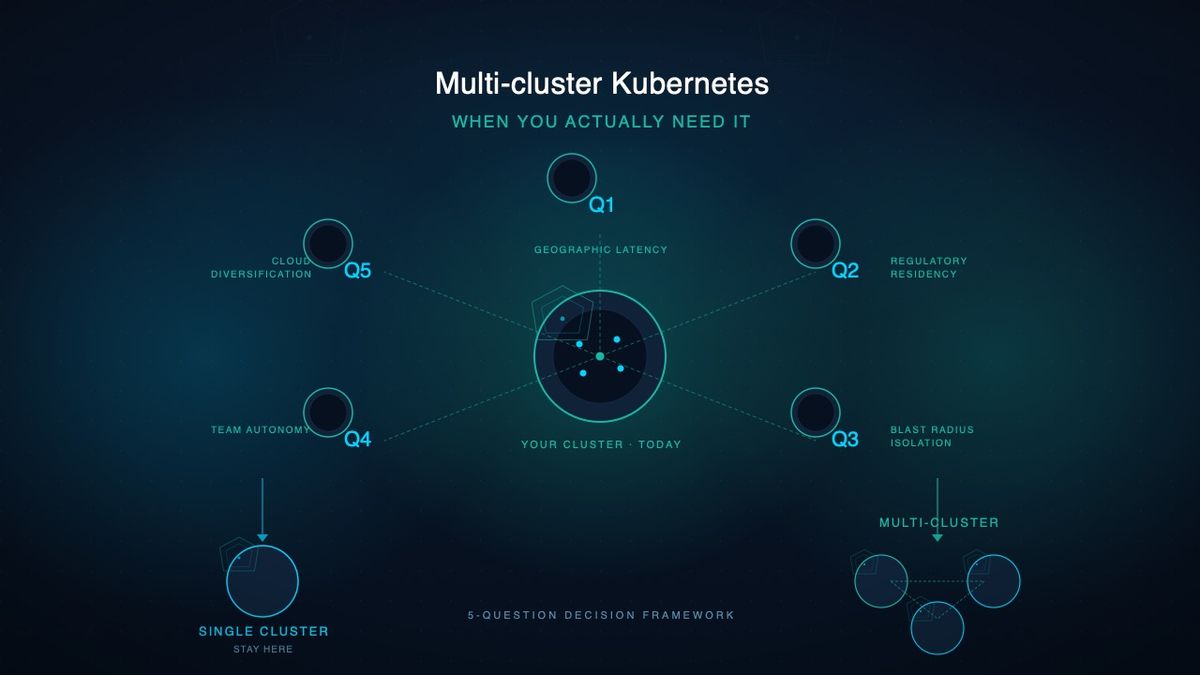
Multi-cluster Kubernetes: When You Actually Need It
Most teams don't need multi-cluster Kubernetes. Here's when you do — and the 5 operational drivers that justify the cost. Practical guide for platform teams.

Kubernetes GitOps & CI/CD Pipelines Guide
Enterprise-grade GitOps workflows and CI/CD pipelines for Kubernetes. Practical guide for CTOs on ArgoCD, Flux, and automated deployment strategies.

Kubernetes Multi-Cluster Strategy: A Practical Guide for Enterprise CTOs
Plan your kubernetes multi-cluster deployment with this enterprise guide. Covers architecture patterns, cross-cluster networking, state management, and implementation roadmap.
THNKBIG Team
Engineering Insights
Expert infrastructure engineers at THNKBIG, specializing in Kubernetes, cloud platforms, and AI/ML operations.
Ready to make AI operational?
Whether you're planning GPU infrastructure, stabilizing Kubernetes, or moving AI workloads into production — we'll assess where you are and what it takes to get there.
US-based team · All US citizens · Continental United States only