
Kubernetes HIPAA Compliance in 2026: A Practical Guide for Healthcare CTOs
Kubernetes HIPAA compliance in 2026: HHS OCR enforcement trends, technical controls, audit-ready architecture patterns. A practical guide for healthcare CTOs.
THNKBIG Team
Engineering Insights

Introduction
If you're a healthcare CTO or IT leader responsible for protecting patient data, you've likely asked yourself this question: Can we run our healthcare applications on Kubernetes while maintaining HIPAA compliance?
The answer is yes—but it's not automatic. Kubernetes provides powerful capabilities for securing containerized workloads, but achieving HIPAA compliance requires deliberate configuration, ongoing vigilance, and understanding where shared responsibility ends.
This guide walks through what healthcare organizations need to know about running Kubernetes in a HIPAA-compliant manner, the critical controls that matter, and a practical framework for implementation.
Healthcare Kubernetes compliance is not a one-time project. HHS Office for Civil Rights (OCR) enforcement settlements in 2024–2026 have repeatedly cited the same Security Rule failures that the controls below are designed to prevent. This refresh walks through the technical architecture, then grounds each control in what OCR is actually enforcing today.
Understanding HIPAA Compliance in Containerized Environments
The Health Insurance Portability and Accountability Act (HIPAA) establishes national standards for protecting Protected Health Information (PHI). For healthcare technology leaders, this means implementing administrative safeguards, physical safeguards, and technical safeguards across systems that store, process, or transmit PHI.
When you move to Kubernetes, several fundamental questions emerge:
- **Who is responsible for what?** The cloud provider typically handles infrastructure security (physical data center, hypervisor), while your organization is responsible for configuration, access controls, and application-level security.
- **What are the specific technical requirements?** HIPAA's Security Rule specifies requirements for access controls, audit controls, integrity controls, and transmission security—all areas where Kubernetes can help but requires proper configuration.
- **How do we demonstrate compliance?** HIPAA requires documented policies, regular risk assessments, and the ability to demonstrate reasonable safeguards are in place.
Critical Kubernetes Controls for HIPAA Compliance
Running Kubernetes in a healthcare environment requires implementing specific technical controls that address HIPAA's Security Rule requirements. Let's examine each critical area in detail.
1. Role-Based Access Control (RBAC)
RBAC is your first line of defense. Kubernetes RBAC determines who can access what resources and perform which operations.
**What to implement:**
**HIPAA relevance:** The Security Rule requires mechanisms to authorize access to systems containing PHI. Proper RBAC ensures developers, operators, and auditors have appropriate access levels—and nothing more.
**Best practices:**
- Follow principle of least privilege
- Use ServiceAccounts for applications, not user accounts
- Regularly audit role bindings
- Integrate with enterprise identity providers (LDAP, OIDC)
- Avoid cluster-admin bindings except for emergency scenarios
- Review access quarterly or upon role changes
2. Network Policies
By default, Kubernetes allows all pods to communicate with each other. In a healthcare environment, you need to restrict traffic to only what's necessary for your applications to function.
**What to implement:**
**HIPAA relevance:** HIPAA requires technical policies and procedures for electronic information systems that maintain PHI to allow access only to persons or software programs with access rights. Network policies enforce micro-segmentation.
**Best practices:**
- Deny all ingress by default
- Explicitly allow required communication paths
- Separate workloads into tiers (web, application, database)
- Encrypt all traffic between pods using mTLS (service mesh)
- Implement egress filtering to prevent data exfiltration
- Test network policies in non-production first
3. Secrets Management
Never store sensitive information like API keys, database credentials, or encryption keys in container images or ConfigMaps. Kubernetes Secrets provide a transport mechanism, but they require additional protection — secrets should not be used as a long-term storage mechanism.
**Best practices:**
- Treat Kubernetes Secrets as a transport mechanism, not a storage mechanism — inject secrets from external vault (Vault, AWS SM, Azure Key Vault) at runtime rather than storing them in Secret manifests
- Enable encryption at rest for etcd (this protects secrets stored in Kubernetes — they are NOT encrypted by default)
- Rotate credentials regularly—automate this process
- Never commit secrets to version control
- Implement secrets injection at runtime, not build time
- Monitor for secret access anomalies
**Reference pattern:**
**HIPAA relevance:** The Security Rule requires procedures to protect PHI from improper alteration or destruction. Secrets management prevents credential exposure in logs, images, or code repositories — and is the bridge between your identity store and your PHI-handling workloads.
4. Pod Security Standards
Pod Security Standards (PSS) define how pods should be configured to avoid compromising the cluster and host operating system.
**What to implement:**
**HIPAA relevance:** Ensuring workloads run with minimal privileges prevents lateral movement if a container is compromised. This supports the Security Rule's requirement for integrity controls.
**Key settings:**
- Run as non-root user
- Drop all capabilities
- Use read-only root filesystem
- Disable privilege escalation
**Note:** Pod Security Standards became the default enforcement mechanism in Kubernetes 1.25. If you are running an older version, PodSecurityPolicy (deprecated in 1.21, removed in 1.25) was the mechanism — and you should prioritize upgrading before enforcing restricted posture. Most managed Kubernetes services (EKS, GKE, AKS) ship on Kubernetes 1.30+ and fully support PSS.
5. Encryption
**What to implement:**
**Data at rest:**
- **Critical:** By default, Kubernetes stores all Secret objects as base64-encoded plaintext in etcd. They are NOT encrypted at rest unless you explicitly configure etcd encryption. For HIPAA compliance, you MUST configure this — do not assume your managed Kubernetes provider does it for you. Pass `--encryption-provider-config` to the kube-apiserver or use a managed KMS (AWS KMS, Azure Key Vault, GCP Cloud KMS).
- Use encrypted volumes (PersistentVolumes) for persistent storage
- Encrypt database storage volumes
**Data in transit:**
- Enable TLS for all API server communications
- Implement mTLS via service mesh (Istio, Linkerd)
- Encrypt external load balancer traffic
**HIPAA relevance:** The Security Rule explicitly requires encryption as an "addressable" implementation specification—meaning you must implement it or document why you don't need to.
6. Audit Logging
Kubernetes audit logs record every request to the API server, providing visibility into who did what and when.
**What to implement:**
**HIPAA relevance:** HIPAA requires audit controls that record and examine activity in information systems containing PHI. Kubernetes audit logs provide this capability but require proper configuration and retention policies.
**Best practices:**
- Enable comprehensive audit logging
- Forward logs to a centralized SIEM
- Retain logs for minimum 6 years (HIPAA requirement)
- Configure alerts for suspicious activity patterns
7. Container Image Security
Your containers are only as secure as the images they're built from. Many vulnerabilities originate from outdated base images and unnecessary packages included in containers.
**What to implement:**
- Use minimal base images (distroless, alpine)
- Scan images for vulnerabilities regularly
- Sign images and verify signatures at deployment
- Run containers as non-root
- Remove unnecessary tools and shells from production images
**HIPAA relevance:** The Security Rule requires risk analysis and implementation of security measures. Vulnerable containers can be exploited to access PHI. Regular scanning and image hardening reduce attack surface.
**Best practices:**
- Implement image scanning in CI/CD pipelines
- Use private container registries with access controls
- Pin specific image versions in deployments (not :latest)
- Regularly rebuild images to pick up security patches
- Implement container runtime security (Falco, Sysdig)
Shared Responsibility Model
Understanding what you and your cloud provider each own is critical:
| Security Component | Cloud Provider | Your Organization |
|-------------------|----------------|------------------|
| Physical data center | ✓ | |
| Hypervisor/network infrastructure | ✓ | |
| Kubernetes control plane | ✓ | |
| Worker node OS security | | ✓ |
| Kubernetes configuration | | ✓ |
| Application security | | ✓ |
| Data encryption | | ✓ |
| Access management | | ✓ |
| Audit logging | | ✓ |
2026 Enforcement Context
The Kubernetes controls above map directly to what HHS OCR is enforcing in 2026. Three signals worth grounding your architecture decisions in:
OSF Healthcare System ransomware settlement — July 29, 2026
OSF discovered the "Nephilim" ransomware variant on April 23, 2021; investigation later confirmed that threat actors exfiltrated PHI of **53,907 patients**. OCR's **July 29, 2026** resolution agreement includes a **$552,250 payment** (per the agreement's lump-sum deadline of July 15, 2026) and cites four specific Security Rule failures — most relevant for Kubernetes operators is the **failure to conduct an accurate and thorough risk analysis** (45 C.F.R. § 164.308(a)(1)(ii)(A)).
This is exactly the gap Kubernetes audit logging, Pod Security Standards, and RBAC are designed to close — as **continuous, automated risk analysis**, not a one-time PDF artifact. The OSF case is the canonical 2026 reference for "if you can't enumerate risks to ePHI in your container environment, the cost is documented and public." Source: [HHS OCR Resolution Agreement with OSF Healthcare System](https://www.hhs.gov/hipaa/for-professionals/compliance-enforcement/agreements/ra-cap-with-osf-healthcare-system/index.html).
Ransomware remains the dominant 2024–2026 HIPAA cybersecurity enforcement theme
The OCR enforcement log shows **13 ransomware-specific settlements across 2024–2026** (Syracuse ASC, BST & Co, Comstar, Neurology Practice, Public Hospital, GMHA, Northeast Surgical Group, VPN Solutions, Elgon Information Systems, Providence Medical Institute, plus the September/October 2024 ransomware investigations), with OSF Healthcare continuing the pattern into July 2026. **The Kubernetes HIPAA story is the ransomware and encryption-at-rest story.** Phase 3 of the roadmap below — etcd encryption, volume encryption, secrets encryption — is the architecture layer that survives an OCR post-incident review.
Warby Parker $1.5M civil money penalty — February 2025
Warby Parker's $1.5M civil money penalty (a CMP, not just a settlement) signals that OCR's penalty teeth extend to non-hospital covered entities — including online retailers, digital-health startups, and pharmacy apps running on Kubernetes — when their Security Rule program fails. OCR's three cited findings were **failure to conduct accurate/thorough risk analysis**, **failure to implement sufficient security measures**, and **failure to implement procedures to regularly review information system activity** — exactly the Kubernetes audit, PSS, and RBAC controls above.
> **What this means for your architecture review:** The OSF risk-analysis failure and the Warby Parker Security Rule failures are the same architectural lesson — **documented, continuous controls beat quarterly PDF compliance reviews**. Kubernetes gives you the primitives; you have to wire them into a live evidence trail. That's the bet THNKBIG's healthcare engagements are built on — audit, identity, and risk-analysis primitives that produce reviewer-defensible evidence, not quarterly PDFs.
For teams that also operate under FedRAMP or pursue federal healthcare contracts, the same control set covers [FedRAMP Kubernetes compliance](/blog/fedramp-kubernetes/) — the encryption, audit, and identity controls overlap almost entirely with HIPAA's Security Rule.
Implementation Roadmap
Phase 1: Foundation (Weeks 1-2)
1. Enable RBAC with least-privilege access
2. Configure Pod Security Standards
3. Set up audit logging with centralized retention
4. Implement secrets management
Phase 2: Network Security (Weeks 3-4)
1. Deploy network policies for all namespaces
2. Implement service mesh for mTLS
3. Configure WAF for external-facing services
4. Test network segmentation
Phase 3: Data Protection (Weeks 5-6)
1. Enable encryption at rest for etcd (not enabled by default — this is required, not optional)
2. Implement volume encryption
3. Configure TLS everywhere
4. Test data recovery procedures
Phase 4: Compliance Documentation (Weeks 7-8)
1. Document security policies and procedures
2. Conduct risk assessment
3. Create evidence repository for auditors
4. Establish continuous monitoring
Common Pitfalls to Avoid
1. **Default configurations:** Kubernetes defaults are designed for functionality, not security. Always harden before production.
2. **Neglecting the supply chain:** Scan images for vulnerabilities, sign images, and use private registries.
3. **Over-privileged ServiceAccounts:** Applications often run with more permissions than needed. Apply least privilege.
4. **Ignoring persistent data:** Databases and file stores often contain PHI. Don't forget to encrypt and protect them.
5. **No incident response plan:** Despite best efforts, breaches can occur. Have a Kubernetes-specific incident response plan.
Conclusion
Kubernetes can absolutely support HIPAA-compliant healthcare applications—but it requires intentional configuration and ongoing attention. The controls outlined here provide a practical framework for healthcare CTOs and IT leaders.
The key is understanding that Kubernetes doesn't automatically make you compliant. It provides powerful security primitives, but your team must configure them correctly, document your decisions, and maintain continuous vigilance.
If your organization is navigating Kubernetes adoption in a healthcare environment and wants expert guidance on compliance architecture, our [Kubernetes consulting practice](/solutions/kubernetes-consulting/) works with healthcare CTOs on the exact risk-analysis and control-mapping work this article describes.
---
**Ready to assess your Kubernetes HIPAA posture?**
[Book a free Assessment Workshop](/contact/) with our team. We'll review your current configuration against the 2026 OCR enforcement landscape, identify the gaps that map to documented penalty findings, and develop a prioritized remediation plan for your healthcare workloads.
Explore Our Solutions
Related Reading
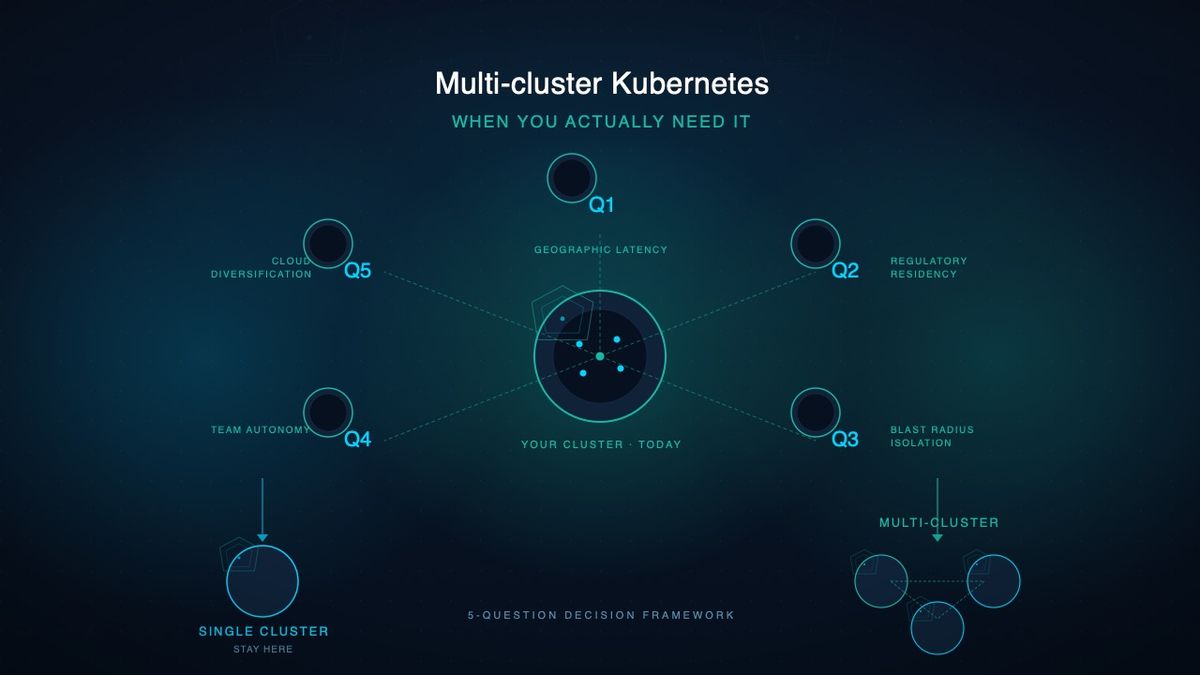
Multi-cluster Kubernetes: When You Actually Need It
Most teams don't need multi-cluster Kubernetes. Here's when you do — and the 5 operational drivers that justify the cost. Practical guide for platform teams.

Kubernetes GitOps & CI/CD Pipelines Guide
Enterprise-grade GitOps workflows and CI/CD pipelines for Kubernetes. Practical guide for CTOs on ArgoCD, Flux, and automated deployment strategies.

Kubernetes Multi-Cluster Strategy: A Practical Guide for Enterprise CTOs
Plan your kubernetes multi-cluster deployment with this enterprise guide. Covers architecture patterns, cross-cluster networking, state management, and implementation roadmap.
THNKBIG Team
Engineering Insights
Expert infrastructure engineers at THNKBIG, specializing in Kubernetes, cloud platforms, and AI/ML operations.
Ready to make AI operational?
Whether you're planning GPU infrastructure, stabilizing Kubernetes, or moving AI workloads into production — we'll assess where you are and what it takes to get there.
US-based team · All US citizens · Continental United States only